
一、如何编写代码实现轻触开关(button)控制 LED 灯点亮?
代码实现:
#include <stdio.h>
#include "driver/gpio.h"
#include "freertos/FreeRTOS.h"
#include "freertos/task.h"

#define button_pin_2 GPIO_NUM_2

void app_main(void)
{
    gpio_set_direction(button_pin_2, GPIO_MODE_INPUT);
    gpio_set_pull_mode(button_pin_2, GPIO_PULLUP_ONLY);

    while(1)
    {
        printf("%d\n", gpio_get_level(button_pin_2) );
        vTaskDelay(pdMS_TO_TICKS(1000) );
    }
}二、什么是Button(轻触开关)?
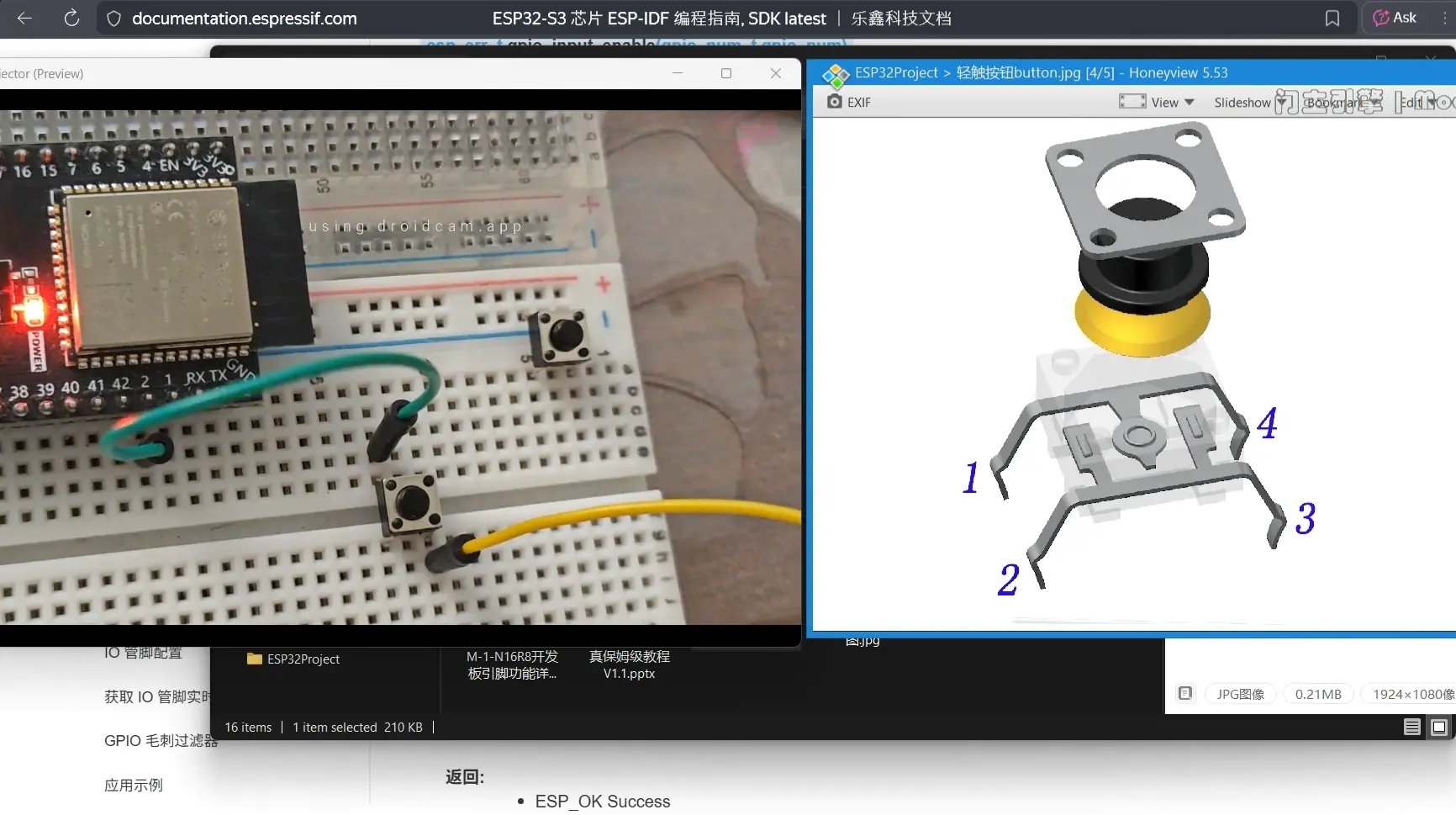
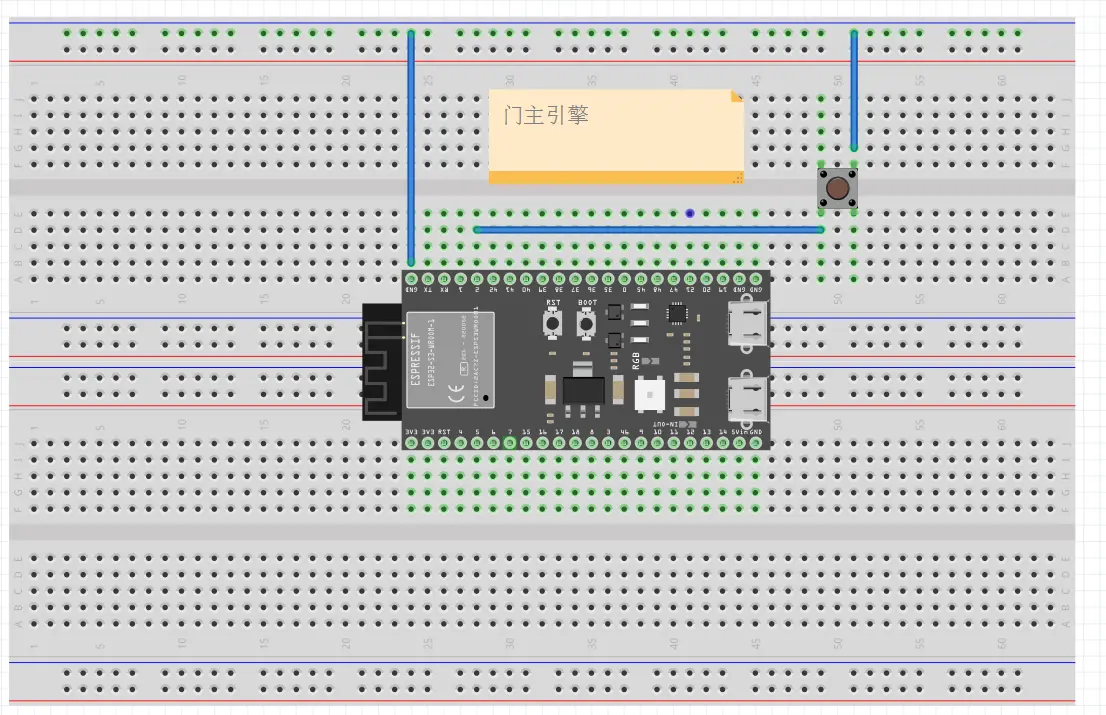
三、ESP-IDF 的 GPIO 上拉输入有哪些API参考?
esp_err_tgpio_set_direction(gpio_num_t gpio_num, gpio_mode_t mode)
GPIO set direction.
Configure GPIO mode,such as output_only,input_only,output_and_input
备注
This function always overwrite all the current modes that have applied on the IO pin
参数:
- gpio_num -- Configure GPIO pins number, it should be GPIO number. If you want to set direction of e.g. GPIO16, gpio_num should be GPIO_NUM_16 (16);
- mode -- GPIO direction
返回:
- ESP_OK Success
- ESP_ERR_INVALID_ARG GPIO error
esp_err_tgpio_set_pull_mode(gpio_num_t gpio_num, gpio_pull_mode_t pull)
Configure GPIO internal pull-up/pull-down resistors.
备注
This function always overwrite the current pull-up/pull-down configurations
备注
ESP32: Only pins that support both input & output have integrated pull-up and pull-down resistors. Input-only GPIOs 34-39 do not.
参数:
gpio_num -- GPIO number. If you want to set pull up or down mode for e.g. GPIO16, gpio_num should be GPIO_NUM_16 (16);
pull -- GPIO pull up/down mode.
返回:
ESP_OK Success
ESP_ERR_INVALID_ARG : Parameter error
int gpio_get_level(gpio_num_t gpio_num)
GPIO get input level.
警告
If the pad is not configured for input (or input and output) the returned value is always 0.
参数:
gpio_num -- GPIO number. If you want to get the logic level of e.g. pin GPIO16, gpio_num should be GPIO_NUM_16 (16);
返回:
- 0 the GPIO input level is 0
- 1 the GPIO input level is 1