三、如何下载、安装ESP-IDF开发编译工具链
(a)下载、安装编译工具链
(a.1)ESP-IDF官网下载地址(C语言+乐鑫官方出品)
https://docs.espressif.com/projects/esp-idf/zh_CN/latest/esp32s3/
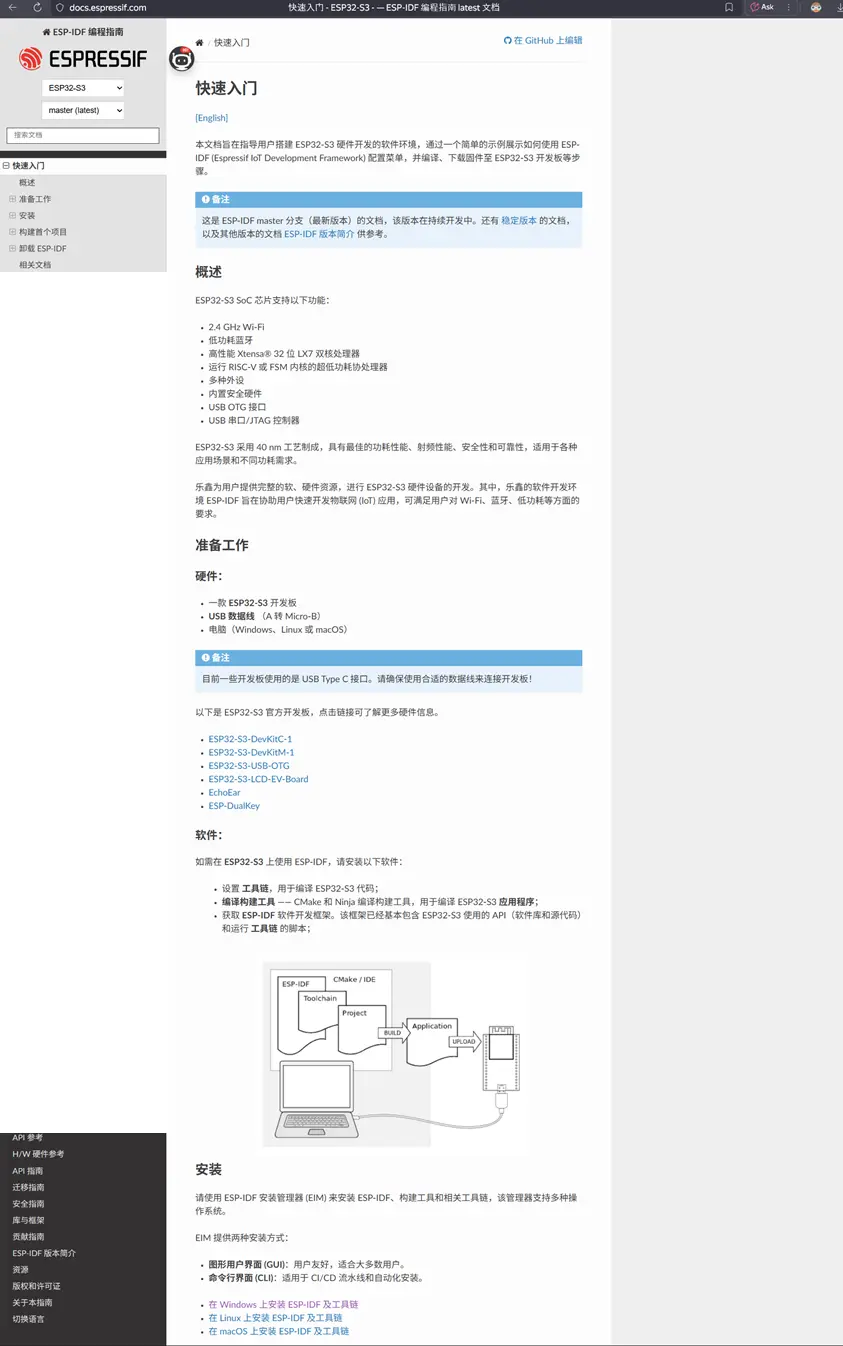
可以看到官网上乐鑫官方推出了三种安装方式:
- 第一种 Windows
- 第二种 Linux
- 第三种 Mac 系统
本次我们只在 Windows 上安装 ESP-IDF。首先需要下载 EIM(也就是乐鑫官方推出的 ESP-IDF 版本下载工具),在 EIM 里面可以控制下载你所需的版本。我们目前主要下载最新的稳定版本,不要下载 Beta 版本,因为还不是很稳定。目前的 Beta 版本最新已经是V6.0了,而最新的稳定版本是 v5.5,我们就下载这个版本。下载并安装完成之后,官方推荐用 VS Code 打开,可以用 VS Code 来编写源码。
至于 Arduino 和 Thonny 这两款编程工具,后续会在单独的另外两节课来讲。这两个并不是很重要,我可以给大家展示一下,但没有必要去下载,除非你想学习这两款工具。
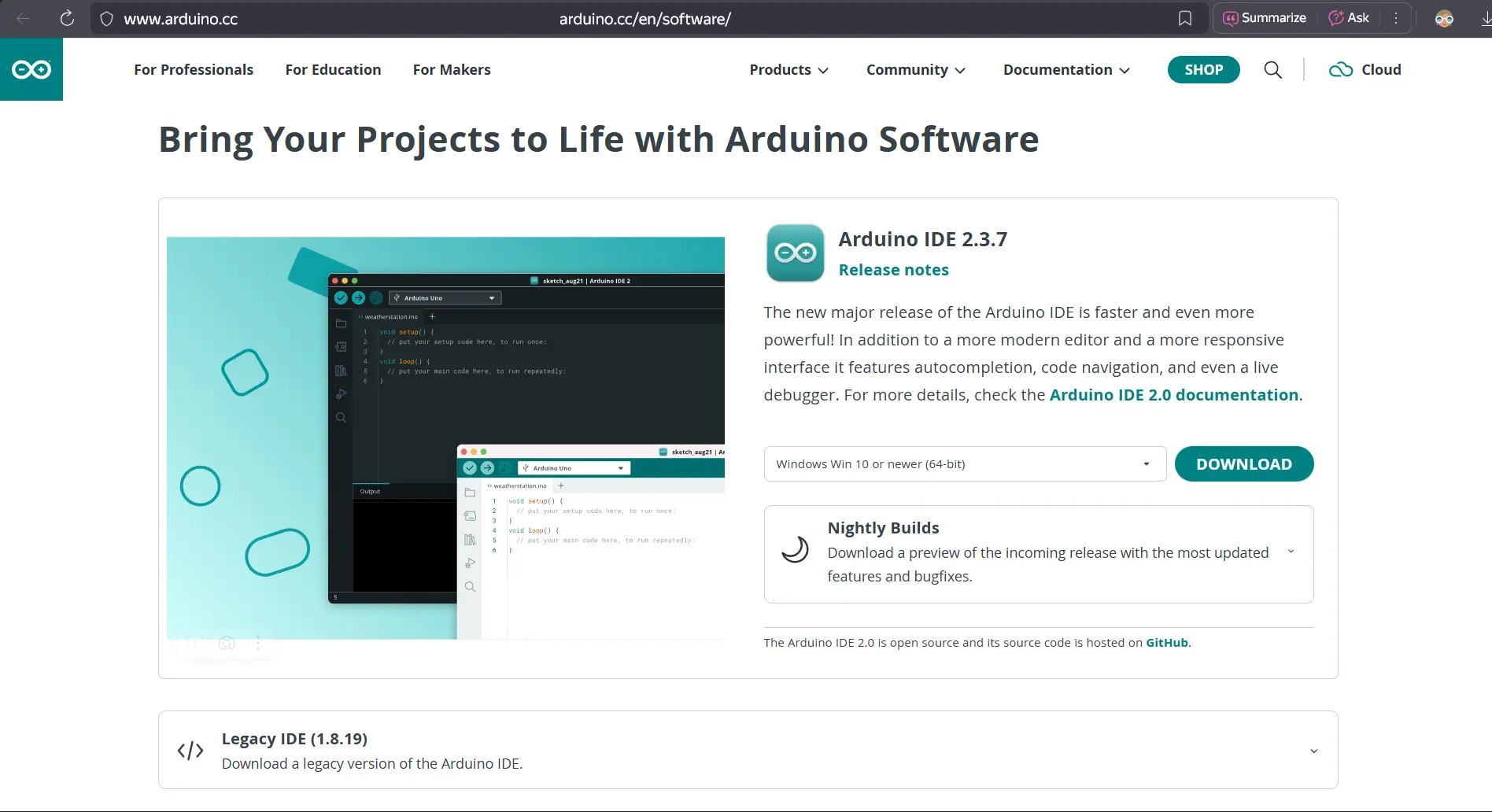
- Arduino (a) 使用 C 语言编写 (b) 作为一个生态,它统一了内部的库函数,使得各个硬件平台都可以使用统一函数来编写。比如引脚的高低电平,使用的都是同一个库函数。
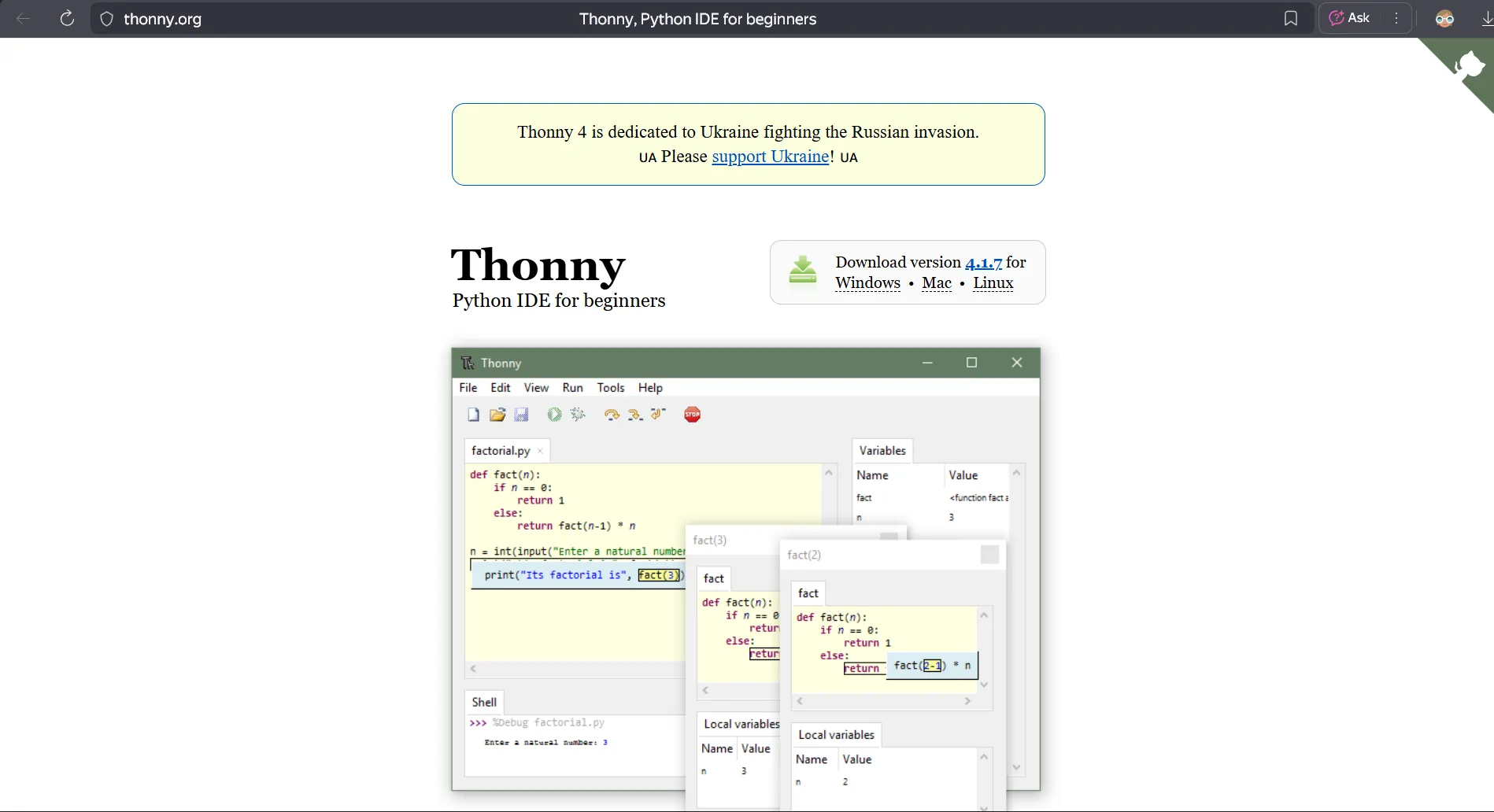
- Thonny (a) 国外开发的一款基于 MicroPython 的编程工具 (b) 面向各种硬件品种,可以用来编写 ESP32 的固件 (c) 如果你已经熟练使用 Python,可以尝试一下这款工具
(a.2)Arduino官网下载地址(C语言+Arduino生态统一库函数)
https://www.arduino.cc/en/software/
(a.3)Thonny官网下载地址(MicroPython)
(b)ESP-IDF界面介绍及使用指南
重要事项!!!
第一步
下载完成EIM之后,win+R键→弹框输入CMD→按回车打开命令行窗口→检查系统环境变量是否存在Python路径冲突
🚨 Caution
C:\Users\Administrator>python --version Python 3.11.9 C:\Users\Administrator>where python C:\Users\Administrator\scoop\apps\python\current\python.exe((第一步检查))
!!!第二步卸载scoop Python C:\Users\Administrator>scoop uninstall python Uninstalling 'python' (3.11.9). Running uninstaller script...Exception calling "OpenSubKey" with "2" argument(s): "Requested registry access is not allowed." At C:\Users\Administrator\scoop\apps\scoop\current\lib\system.ps1:58 char:5 envRegisterKey = registerKey.OpenSubKey('Environment', $true) ~~~~~~~~~~~~~~~~~~~~~~~~~~~~~~~~~~~~~~~~~~~~~~~~~~~~~~~~~~~~~~~ CategoryInfo : NotSpecified: (😃 [], MethodInvocationException FullyQualifiedErrorId : SecurityException You cannot call a method on a null-valued expression. At C:\Users\Administrator\scoop\apps\scoop\current\lib\system.ps1:66 char:19 } elseif (envRegisterKey.GetValue(Name)) { ~~~~~~~~~~~~~~~~~~~~~~~~~~~~~~~ CategoryInfo : InvalidOperation: (😃 [], RuntimeException FullyQualifiedErrorId : InvokeMethodOnNull You cannot call a method on a null-valued expression. At C:\Users\Administrator\scoop\apps\scoop\current\lib\system.ps1:71 char:9 envRegisterKey.SetValue(Name, Value, registryValueKind) ~~~~~~~~~~~~~~~~~~~~~~~~~~~~~~~~~~~~~~~~~~~~~~~~~~~~~~~~~~~ CategoryInfo : InvalidOperation: (😃 [], RuntimeException FullyQualifiedErrorId : InvokeMethodOnNull done. Removing shim 'python3.shim'. Removing shim 'python3.exe'. Removing shim 'python311.shim'. Removing shim 'python311.exe'. Removing shim 'idle'. Removing shim 'idle.cmd'. Removing shim 'idle3'. Removing shim 'idle3.cmd'. Removing shim 'idle311'. Removing shim 'idle311.cmd'. Unlinking ~\scoop\apps\python\current Removing ~\scoop\apps\python\current\Scripts from your path. Removing ~\scoop\apps\python\current from your path. 'python' was uninstalled.((标志卸载完成))
!!!再次检查 C:\Users\Administrator>where python INFO: Could not find files for the given pattern(s). C:\Users\Administrator>python --version 'python' is not recognized as an internal or external command, operable program or batch file. C:\Users\Administrator>
第二步
在安装的过程中,如果出错了,第一时间检查安装日志
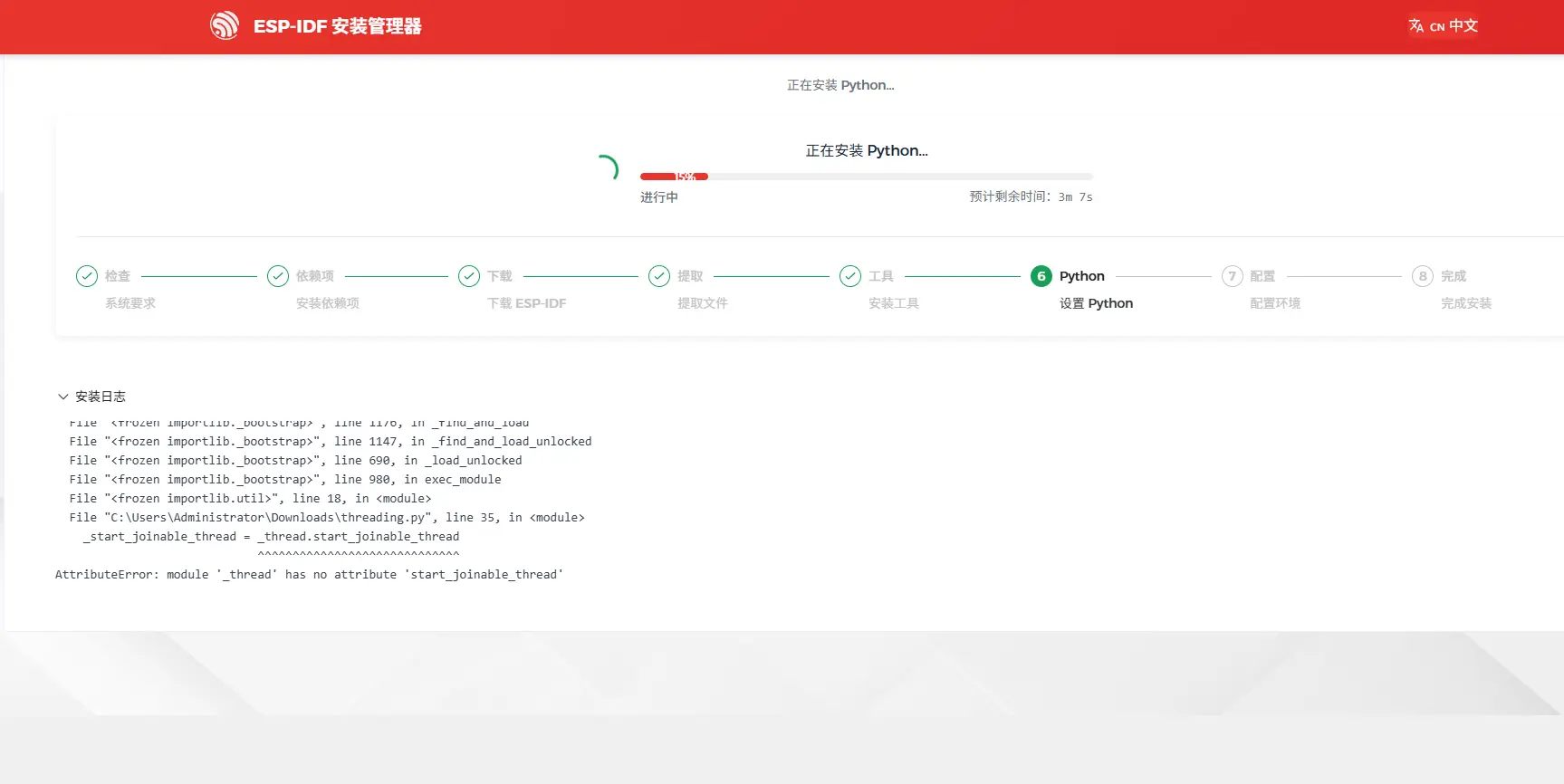
(二.1)我安装使用EIM的过程中报的错误
❌️❌️❌️安装日志
[warning] Python 环境检查失败:Python was not found; run without arguments to install from the Microsoft Store, or disable this shortcut from Settings > Apps > Advanced app settings > App execution aliases.

[warning] Python 环境检查失败:Python was not found; run without arguments to install from the Microsoft Store, or disable this shortcut from Settings > Apps > Advanced app settings > App execution aliases.

[warning] Python 环境检查失败:Python was not found; run without arguments to install from the Microsoft Store, or disable this shortcut from Settings > Apps > Advanced app settings > App execution aliases.

[warning] Python 环境检查失败:Python was not found; run without arguments to install from the Microsoft Store, or disable this shortcut from Settings > Apps > Advanced app settings > App execution aliases.

[warning] Python 环境检查失败:Python was not found; run without arguments to install from the Microsoft Store, or disable this shortcut from Settings > Apps > Advanced app settings > App execution aliases.

[warning] Python 环境检查失败:Python was not found; run without arguments to install from the Microsoft Store, or disable this shortcut from Settings > Apps > Advanced app settings > App execution aliases.❌️❌️❌️安装日志
[warning] Python 环境检查失败:program not found
[warning] Python 环境检查失败:program not found
[warning] Python 环境检查失败:program not found
[warning] Python 环境检查失败:program not found
[warning] Python 环境检查失败:program not found
[warning] Python 环境检查失败:program not found❌️❌️❌️安装日志
[warning] Python 环境检查失败:Could not import runpy module
Traceback (most recent call last):
  File "<frozen importlib._bootstrap>", line 1176, in _find_and_load
  File "<frozen importlib._bootstrap>", line 1147, in _find_and_load_unlocked
  File "<frozen importlib._bootstrap>", line 690, in _load_unlocked
  File "<frozen importlib._bootstrap>", line 980, in exec_module
  File "<frozen runpy>", line 15, in <module>
  File "<frozen importlib._bootstrap>", line 1176, in _find_and_load
  File "<frozen importlib._bootstrap>", line 1147, in _find_and_load_unlocked
  File "<frozen importlib._bootstrap>", line 690, in _load_unlocked
  File "<frozen importlib._bootstrap>", line 980, in exec_module
  File "<frozen importlib.util>", line 18, in <module>
  File "C:\Users\Administrator\Downloads\threading.py", line 35, in <module>
    _start_joinable_thread = _thread.start_joinable_thread
                             ^^^^^^^^^^^^^^^^^^^^^^^^^^^^^
AttributeError: module '_thread' has no attribute 'start_joinable_thread'

[warning] Python 环境检查失败:Could not import runpy module
Traceback (most recent call last):
  File "<frozen importlib._bootstrap>", line 1176, in _find_and_load
  File "<frozen importlib._bootstrap>", line 1147, in _find_and_load_unlocked
  File "<frozen importlib._bootstrap>", line 690, in _load_unlocked
  File "<frozen importlib._bootstrap>", line 980, in exec_module
  File "<frozen runpy>", line 15, in <module>
  File "<frozen importlib._bootstrap>", line 1176, in _find_and_load
  File "<frozen importlib._bootstrap>", line 1147, in _find_and_load_unlocked
  File "<frozen importlib._bootstrap>", line 690, in _load_unlocked
  File "<frozen importlib._bootstrap>", line 980, in exec_module
  File "<frozen importlib.util>", line 18, in <module>
File "C:\Users\Administrator\Downloads\threading.py", line 35, in <module>(二.2)安装建议
- 必须得把EIM安装包单独新建一个文件夹,并且这个文件夹同一级别的路径和此路径下不能存在有Python.exe相关的Python东西。
- 其次,确保下载的EIM安装管理器没有损坏,有时候损坏也可以运行,但是一直安装不上,我就遇到了这个问题,重新下载了一遍EIM安装管理器。
- 再者,如果有其他问题,可以截图并且复制报错的安装日志给AI通义千问,通义千问在解决代码、软件工程类出色。
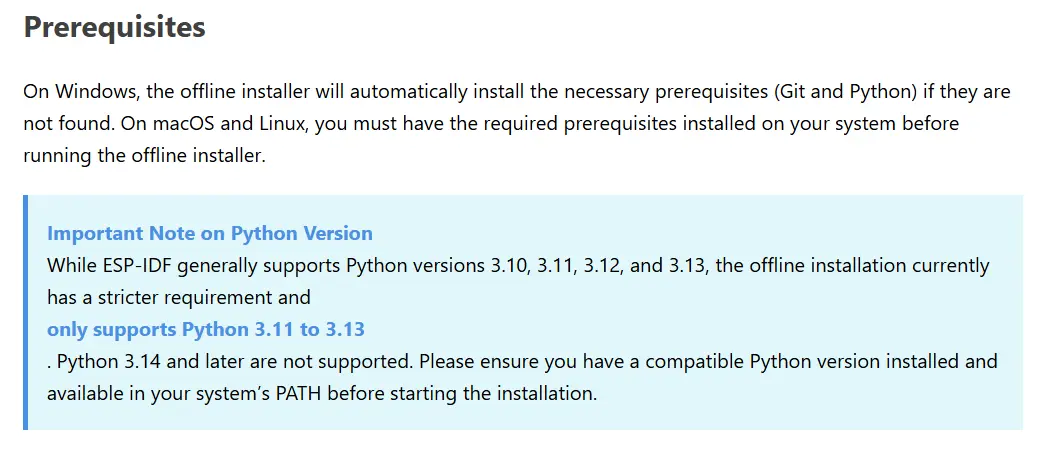
- 如果你已经安装了Python(必须确保是Python官方的正式版python installer.exe),因为ESP打分依赖于官方的一些组件,如果是第三方的Python,如Microsoft微软自带的亦或是anaconda将无法正常被EIM检测到所需的依赖组件;并且确保Python版本>= 3.10 且 < 3.14,官方的离线安装压缩包里,也就是ESP-IDF V5.5.1,用的是Python 3.11.9版本。